Brand & ECU Tree
Brand catalog and ECU family navigation.

Map Decoder PatchClient screenshots and interface walkthrough.
Brand catalog and ECU family navigation.
Bulk-select and filter diagnostic codes.
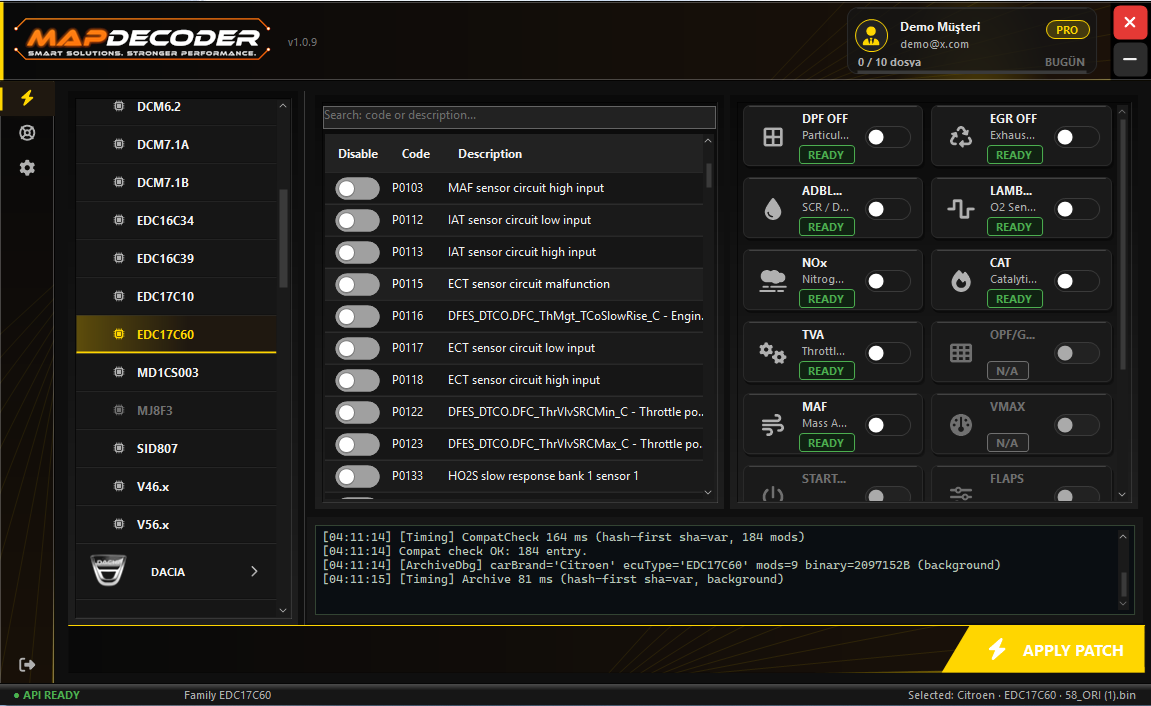
One-click activated patch modules.
Validated patch produced from a single button.
Production-grade panels. Tap any card to inspect.
Catalog flow and the modification panel
Vehicle brand, ECU type and software fingerprint
Automatic modules and compatibility indicators
DTC definitions and bulk selection
Support dialogue and tickets with file attachments
Account details, package and daily quota
Interface language selection
Accent color palettes